Chloe · ChatGPT Site
Private preview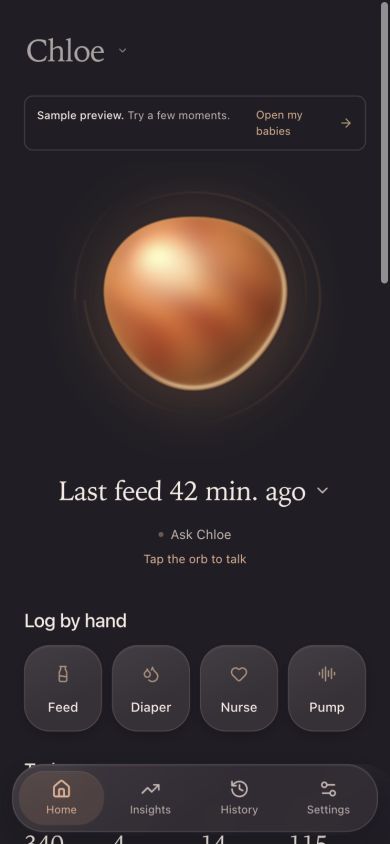
01
Chloe, with ChatGPT.
Your baby’s name is the app heading. Tap it to switch babies, including twins. Sign in with ChatGPT for quick logging, interactive insights and hands-free voice control.
Open Chloe SiteTrack feeds, diapers, nursing, pumping, and weight. Share care with family using separate accounts, keep each baby’s history together, and give the next caregiver a clear place to pick up.
Chloe is currently an invite-only TestFlight beta. It is not available on the App Store, and there is no public beta signup.
First month of Connected care free
Private Apple voice on supported iPhones
Invite family and accept in the app
Weight in grams or pounds and ounces
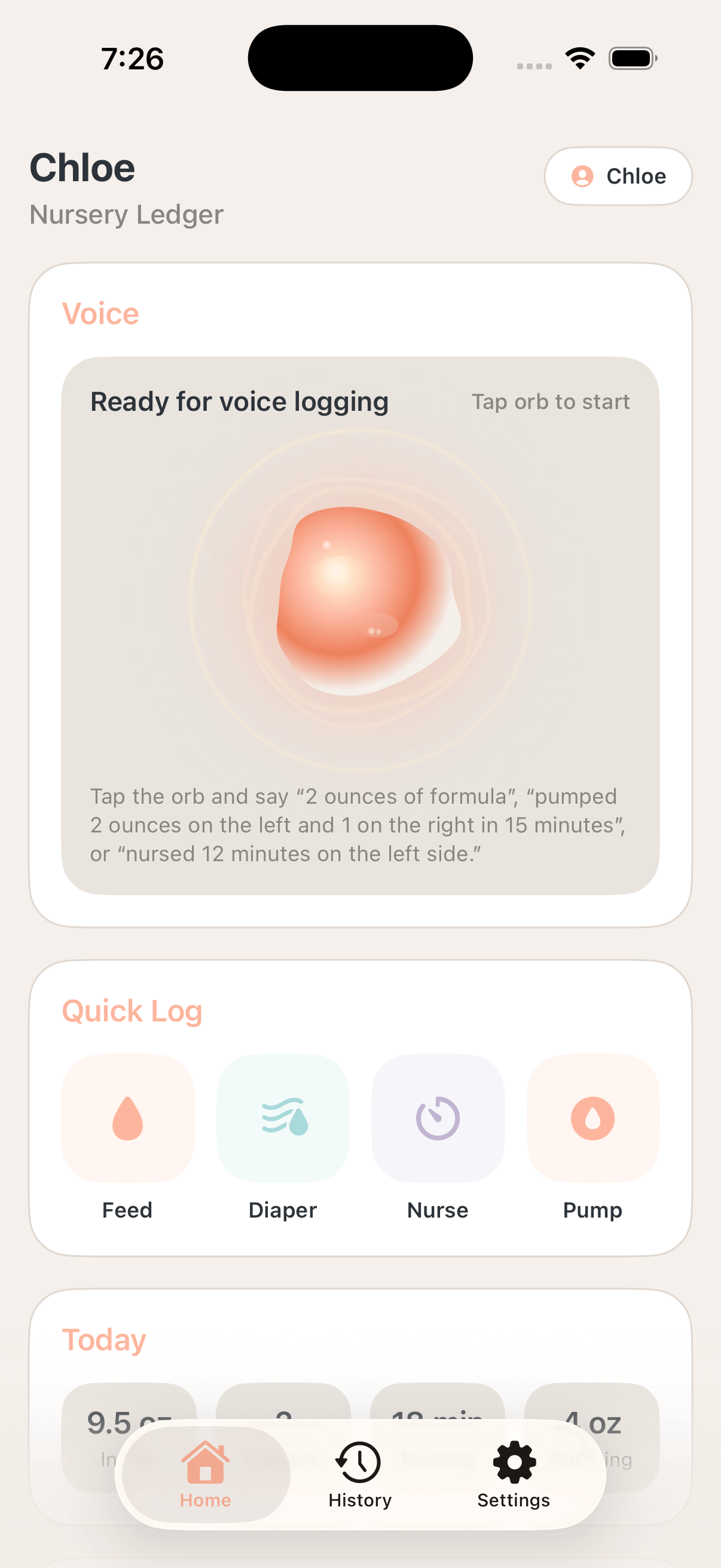
Chloe for iPhone and ChatGPT
Use Chloe on iPhone, open your baby’s personalized Site, or log a moment right in ChatGPT with the Chloe plugin.
Chloe · ChatGPT Site
Private preview01
Your baby’s name is the app heading. Tap it to switch babies, including twins. Sign in with ChatGPT for quick logging, interactive insights and hands-free voice control.
Open Chloe SiteChloe for iPhone
Closed TestFlight beta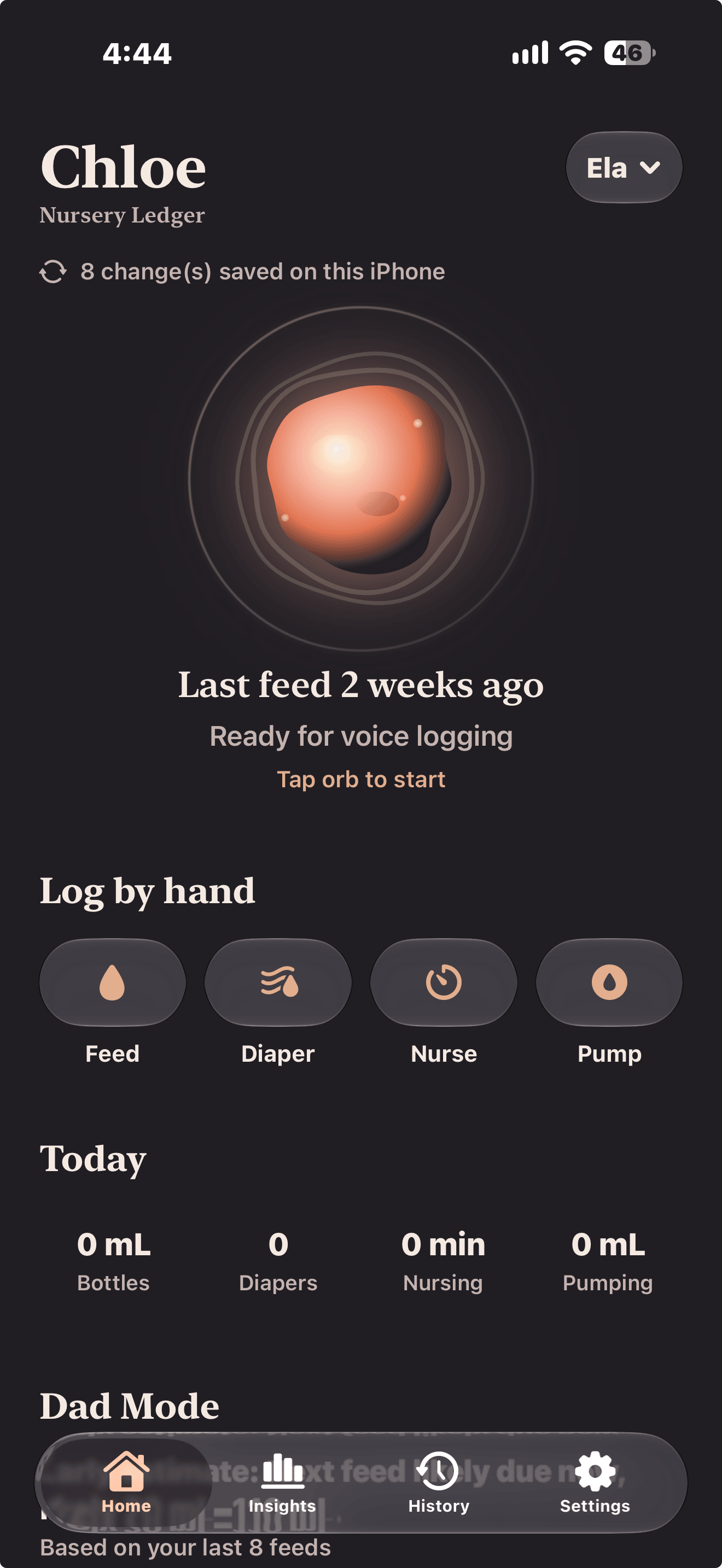
02
The original, local-first nursery ledger. One-handed logging, optional shared care, and the familiar little details that make a long night easier.
About the iPhone betaChloe plugin · ChatGPT
Private previewMention @Chloe to log a feed, find the last diaper, or review your baby’s day. The plugin uses the same records and caregiver permissions as your Chloe Site.
If a bottle’s milk type is unclear, Chloe asks. Say “always formula” to remember your choice for you and that baby across chats. Change it anytime in the Site’s Bottle milk setting.
How to use the Chloe plugin@Chloe add a 100 ml bottle for Oliver
Breast milk or formula?
Formula, and it’s always formula.
Logged 100 ml of formula. I’ll use formula for future bottles.
Voice control · ChatGPT Site
Start a voice conversation, then ask Chloe to open Insights, show your charts, or change the dates. You can move through your baby’s records without reaching for the screen.
“Show me this week’s feeds.”
“Go back a week.”
“Show diaper changes for yesterday.”
Chloe opens the view and sets its date and activity filters. Asking to see a chart doesn’t change a log. Insights requires Full access to that baby.
The Site and companion plugin are private previews and require access. Site voice and custom AI questions use your own OpenAI API key, billed separately from ChatGPT; plugin tool calls do not use that key. The iPhone app remains in closed TestFlight beta with a separate account and ledger. The Site and plugin share their ledger.
Upcoming iPhone plans
Start with a free month of online voice and care-team sharing. Continue Connected care for $9.99 a month, or keep using Apple voice and your local tools for free.
Private on your iPhone
Your everyday tools stay with you, even without a subscription.
Apple voice is experimental. Requires iOS 26 or later, Apple Intelligence, and a supported iPhone. Manual tools remain available when Apple voice is unavailable.
Connected care
Then $9.99 / month
Cancel before renewal to fall back to free Apple voice and local tools. Apple voice supports private local records; it does not replace care-team sync. No automatic voice overage charges.
Chloe is currently in an invite-only TestFlight beta. These plans are being prepared for launch; subscriptions are not available yet. The voice allowance and renewal terms will be shown before subscribing. Existing beta families keep their current free-sharing access.
Connected care · Your people, together
Invite a partner, grandparent, or caretaker using their own account. Choose what they can do for each baby. Care-team sharing is part of the upcoming Connected care plan: your first month free, then $9.99 per month. Existing beta families retain their current free-sharing access.
See logs and insights, correct any entry, and manage the baby’s profile and care team. Choose this for Dad or another adult who shares parental responsibilities.
Read everyone’s entries, add care logs, and correct only your own entries. Statistics and insights stay with Full-access adults.
Keep up with the baby’s raw care log. Viewers cannot add or change entries, see insights, or manage the team.
Both people need the current Chloe beta installed through their TestFlight invitations. A care-team link shares access to a baby; it does not enroll someone in the closed beta.
How Voice Logging Works
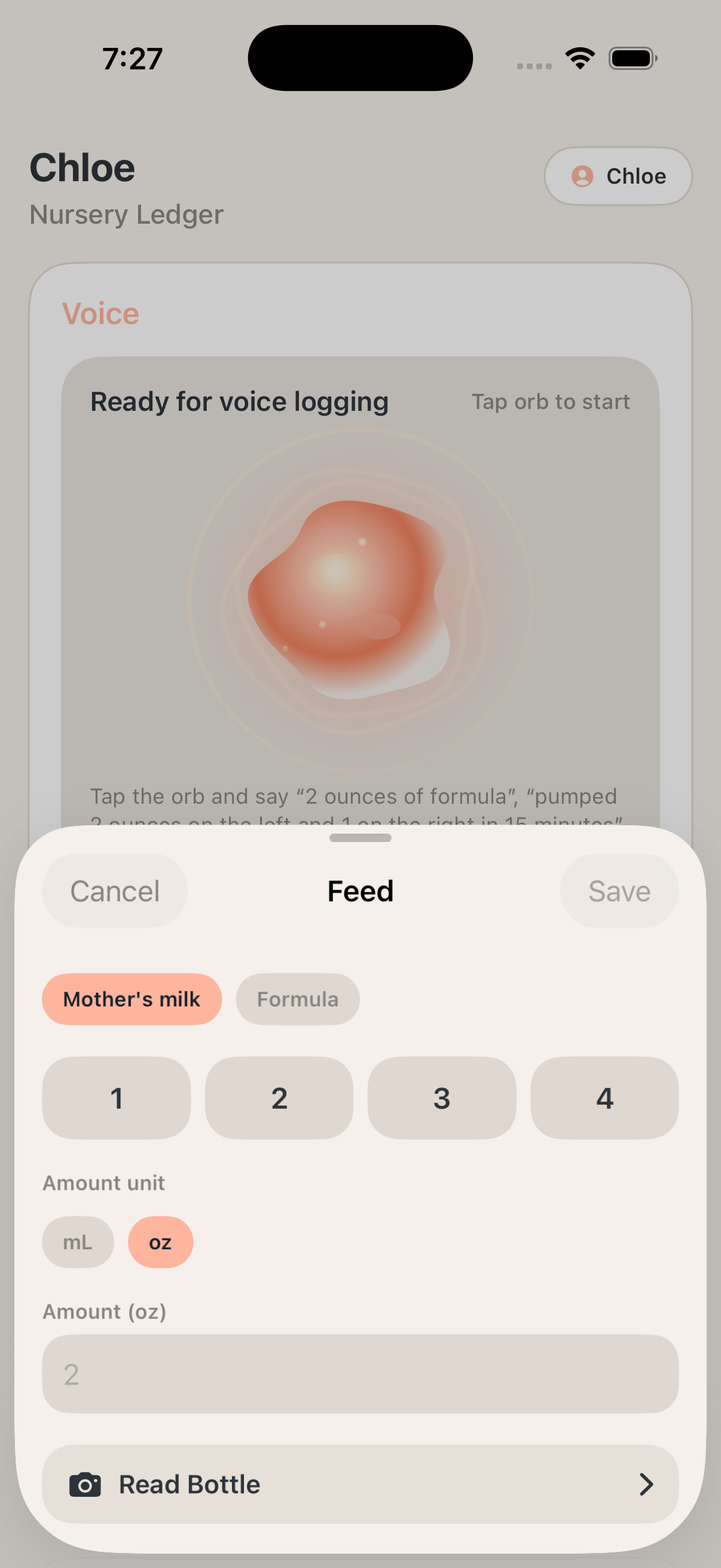
A conversation when your hands are full. Choose online voice with Connected care, or private Apple voice for local logging on a supported iPhone. Your voice provider and Apple voice choices live in Settings; Home stays focused on the orb and your baby’s day.
The orb stays on Home, so parents can begin a voice session from the same calm place they already use for totals, recent activity, and quick actions. Open Chloe: Nursery Ledger with one hand, tap the orb, and start logging while you finish a bottle or settle your baby back down.
Feeds, diapers, nursing, and pumping can all be logged conversationally, with ounces, milliliters, sides, and timing carried through to the saved entry. "2 ounces of formula at 3:18 AM," "pee diaper five minutes ago," or "nursed 12 minutes on the left."
The result lands in Recent Activity, Today totals, and History right away, so voice stays part of the same timeline instead of becoming a separate mode to reconcile later. A spoken feed updates the latest event, today’s totals, and the weekly History view without entering the same data twice.
Example prompts
Apple voice is experimental and being tested for supported iPhones with Apple Intelligence. It works with private local records, including logging tools and spoken summaries of recorded data. Online voice requires an account and internet. Shared voice is not yet available in the current beta. Always review saved entries.
Partner handoff
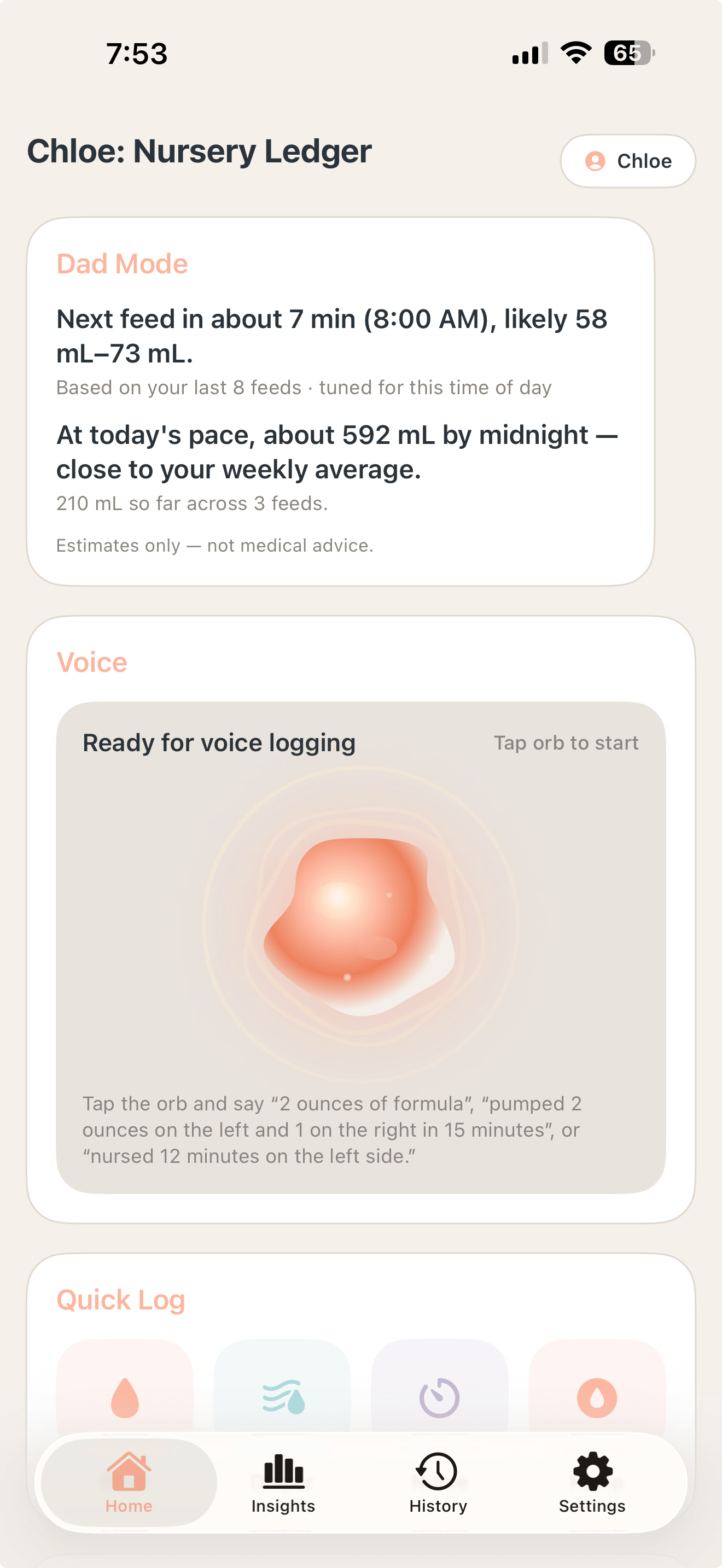
Dad Mode is a lightweight status card on Home for the partner stepping in. It surfaces the next likely feed window, how today’s intake is tracking against your 7-day average, and a calm warm-up state the first day — so whoever picks up the baby doesn’t have to scroll the timeline to catch up.
An estimated window and expected volume built from your recent feeds, with confidence tuned for the time of day so early-morning and evening patterns don’t get averaged together.
A projection of today’s total by midnight compared with your 7-day average, so the day reads as on pace, trending high, or light at a glance.
A friendly empty state explains that after about 24 hours of logs the card starts producing estimates — no half-guesses before the data is there to back them up.
For Full-access adults. Estimates only — not medical advice.
Insights
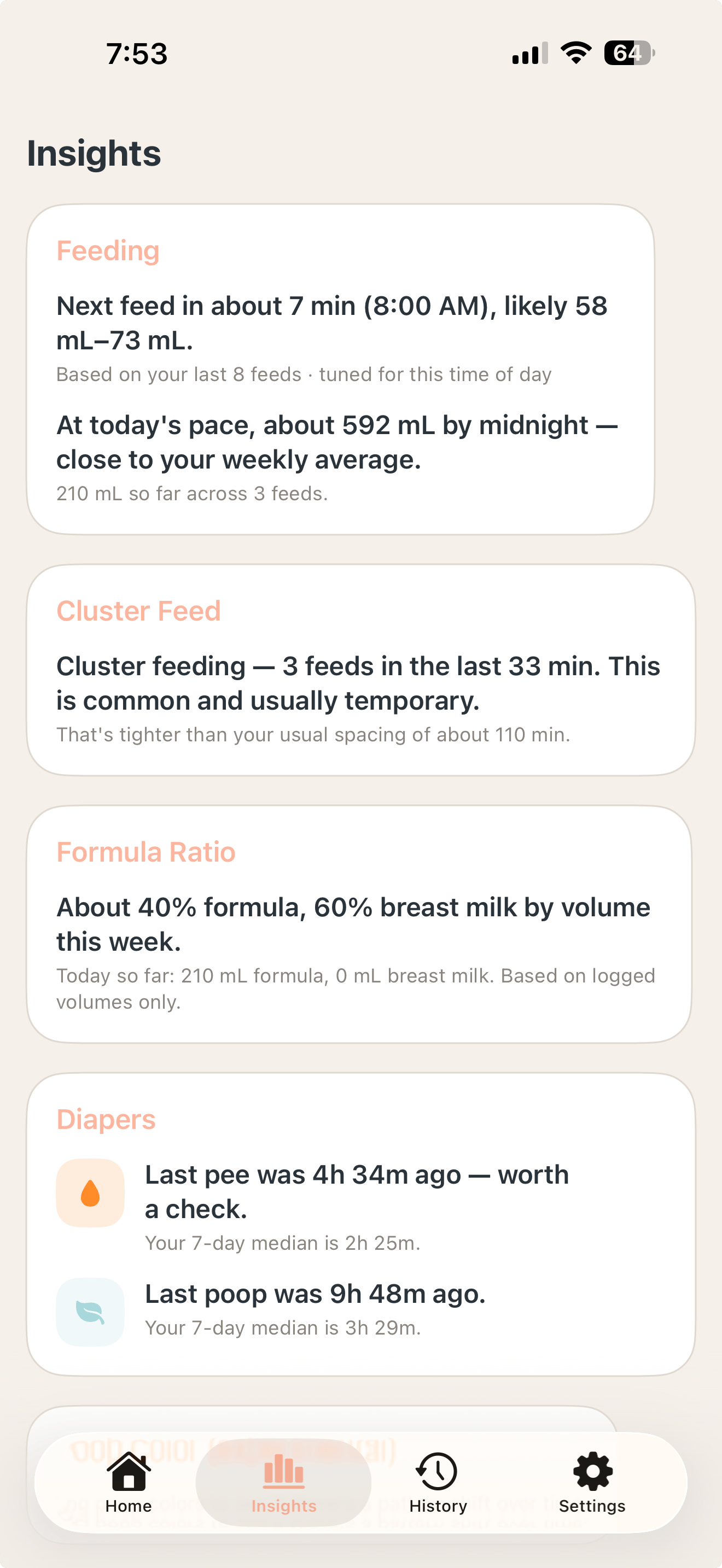
As entries accumulate, Chloe quietly watches the shape of the week — feeds, diapers, pumping, nursing — and surfaces what’s shifting. The Insights tab gathers these into calm, readable cards right next to the logs, so a pattern is visible the moment it starts showing up.
The next feed’s likely time and volume, and where today’s intake is tracking against your weekly average — tuned to the time of day so early-morning rhythms don’t blur into evenings.
Cluster-feed detection when feeds bunch closer than usual, a running formula-vs-breast-milk ratio for the week, and diaper cadence measured against your own 7-day median.
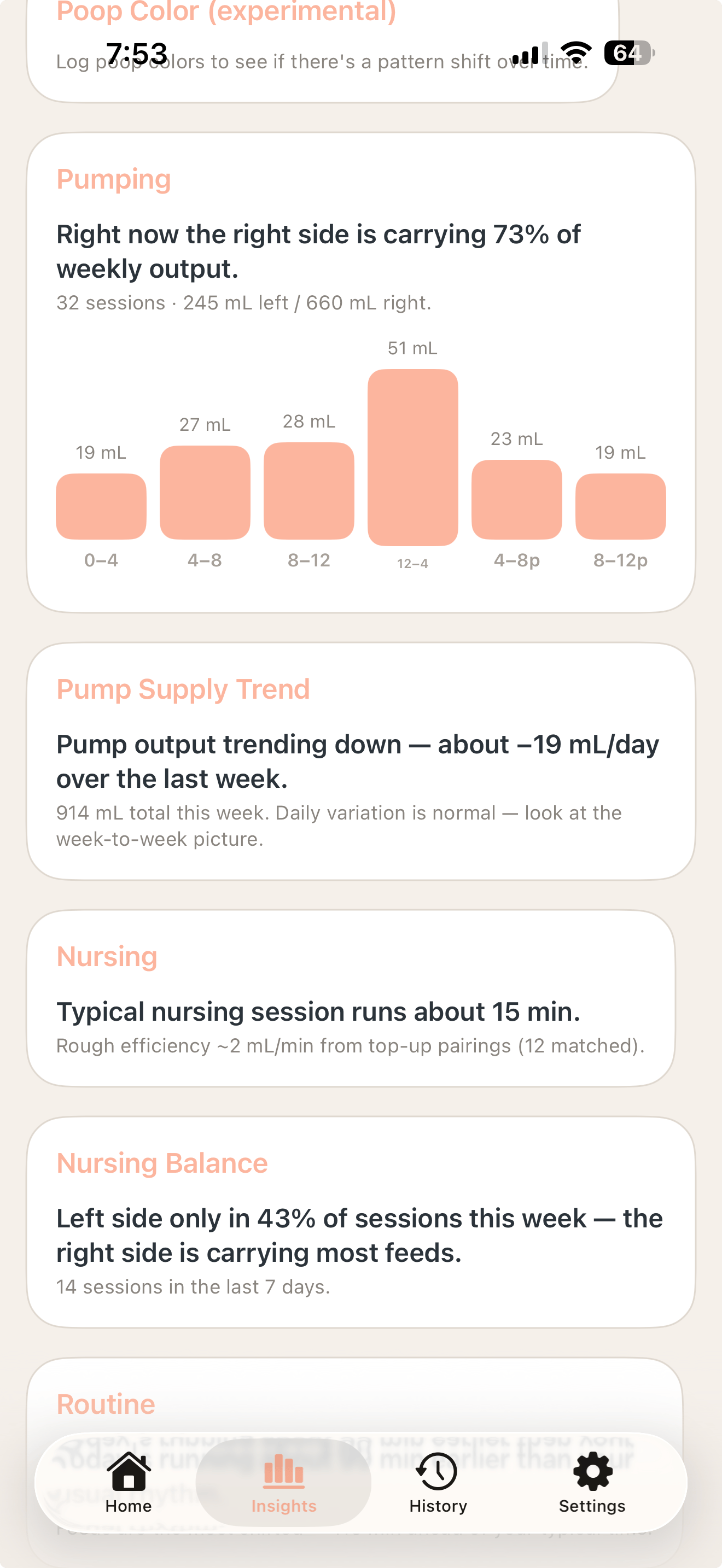
Left/right balance with a time-of-day chart of where the yield actually lands, plus a supply trajectory that shows whether output is trending up, down, or steady over the last week.
Typical session length and rough efficiency from top-up pairings, left/right nursing balance across the week, and a read on whether today’s routine is drifting from your usual pattern.
Insights are available to Full-access adults. Everything here is context, not diagnosis — Chloe surfaces the shape of the week so you can spot what’s shifting, and pediatricians remain the authority on anything clinical.
Capabilities
Chloe: Nursery Ledger is not just for the next log. It makes the pattern readable over the week, gives the next caregiver a clean handoff, and helps families walk into appointments with a summary that feels prepared instead of improvised.
Switch babies without mixing their logs, formulas, or team members. Being invited to one baby never gives someone access to a sibling. A grandparent can have Full access for one baby and Viewer access for another.
Choose your weight unit in Settings → Display → Weight unit. Chloe remembers your preference for weight entry, history, summaries, and exports. Switching units preserves the original measurement. Feeding units are a separate preference.
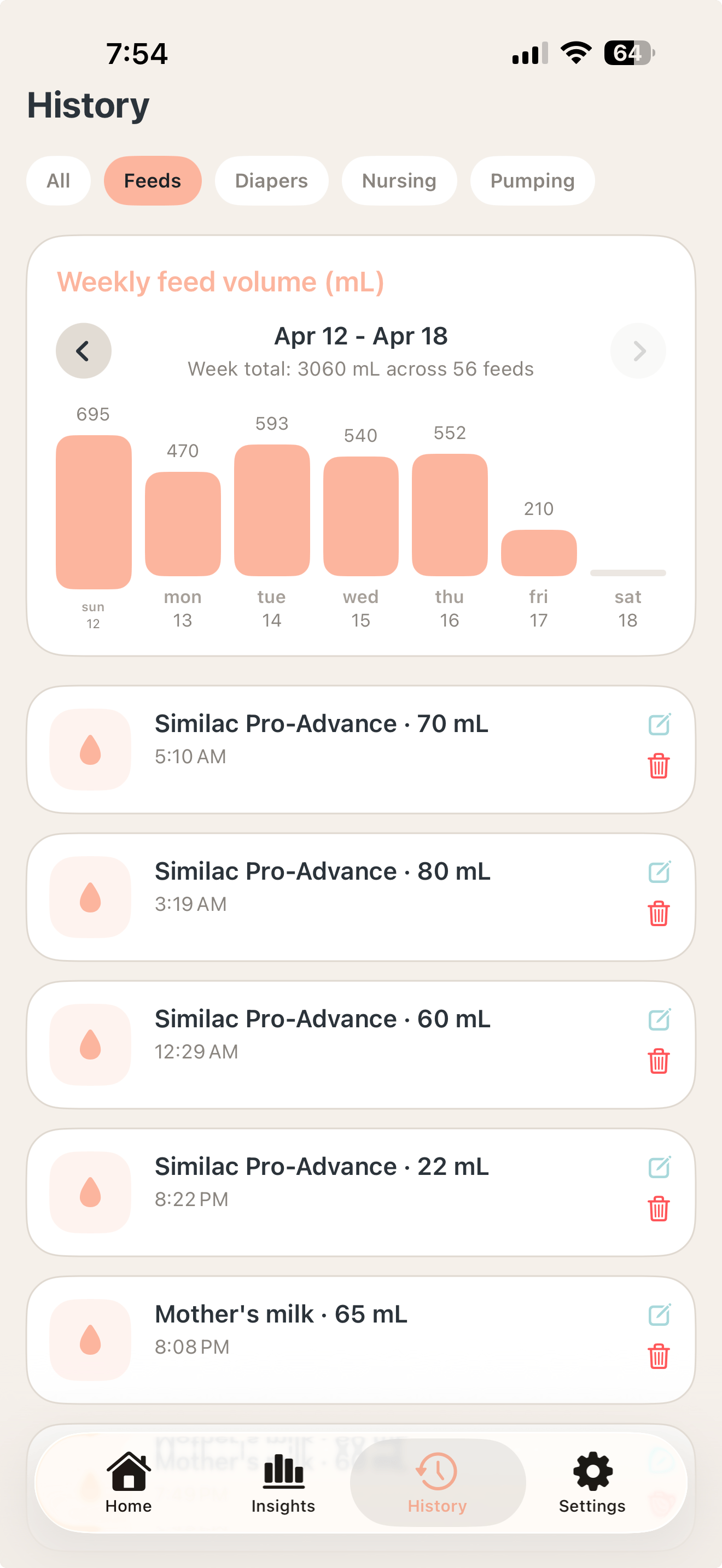
History turns feeds, diapers, nursing, and pumping into a readable weekly view so parents can spot totals, trends, and changes at a glance. See whether ounces, diaper counts, or nursing sessions shifted compared with yesterday before you text the next caregiver or call the pediatrician.
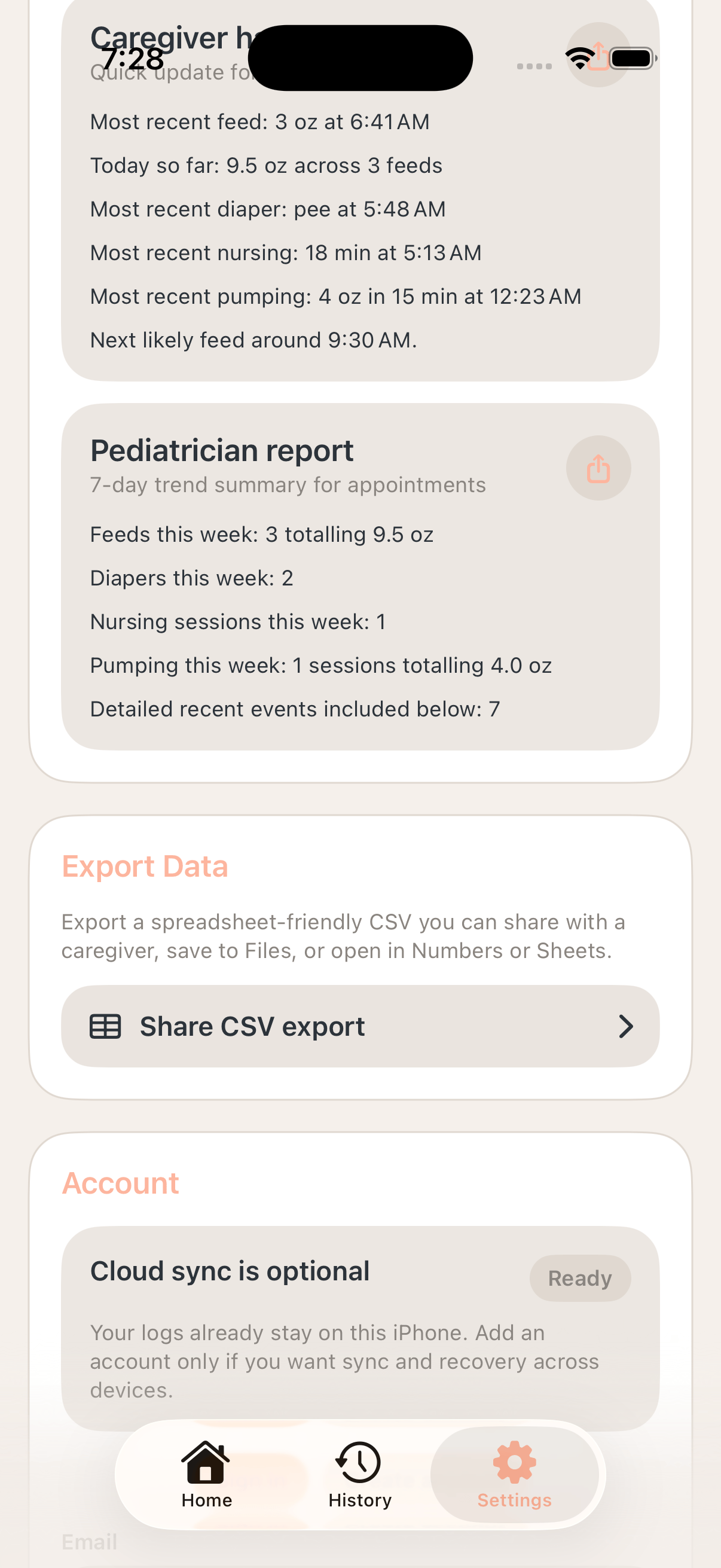
Share a care handoff using the access you have for that baby. Full-access adults can share summaries; caretakers can hand off their own entries. Shared logs show who recorded an entry, and conflicting corrections are held for review.
The app builds a 7-day summary with feed totals, diaper counts, nursing sessions, pumping totals, and recent event detail for appointments. Walk into an appointment with the week already organized into a report instead of scrolling through entries while someone waits.
Logs stay useful on one phone from the first entry, and sync only layers in when a family wants backup, recovery, or shared visibility across devices. Keep tracking in the nursery without service, then let sync catch up later when the connection comes back.
Closed beta
Chloe is being tested by invited families through TestFlight. The app is not on the App Store yet. Already invited? Use your TestFlight invitation to install or update the app.